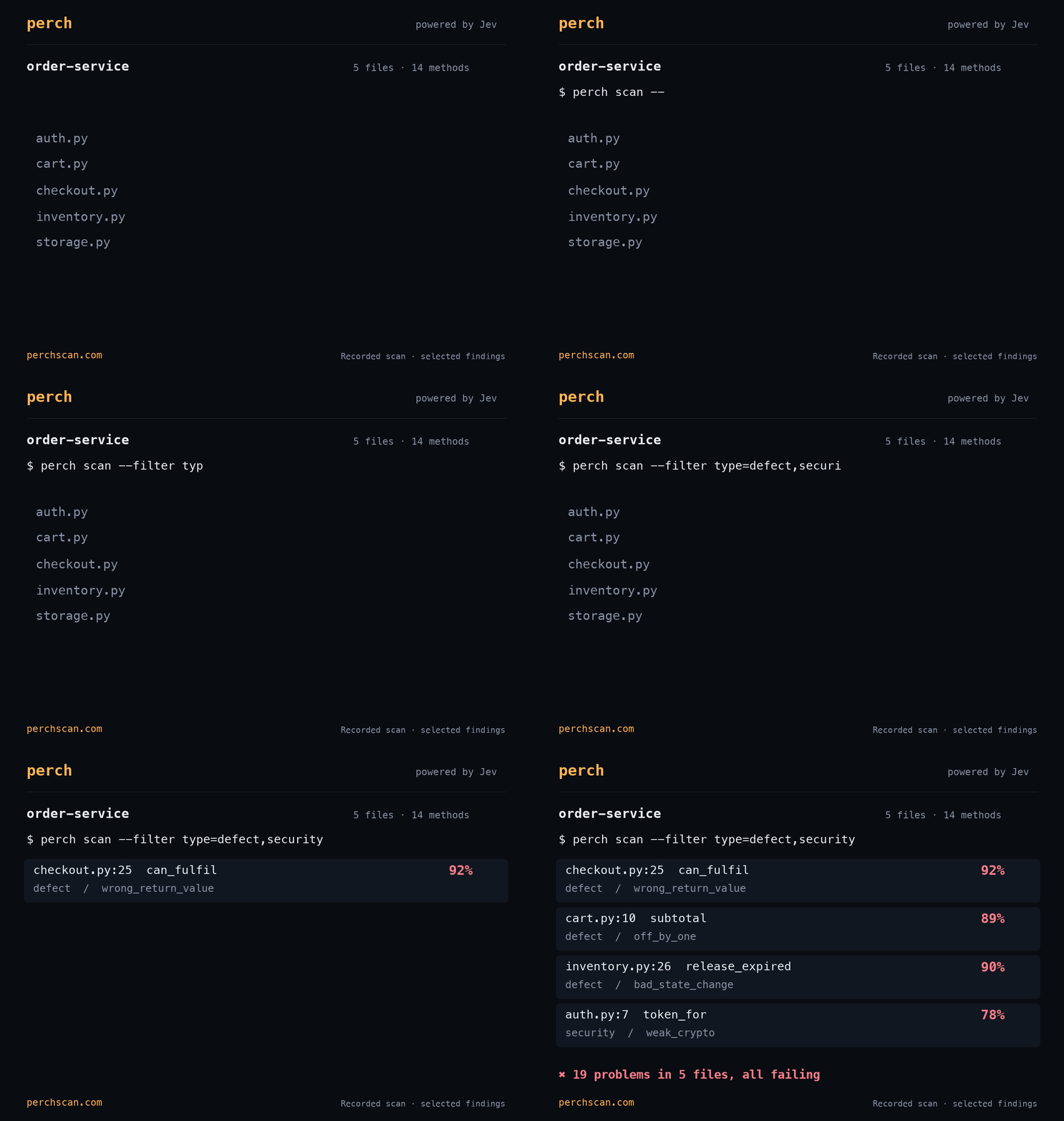
Scan for checkout, cart, inventory, and token generation issues in an example project.
In this example, we scan a small order service. Perch found 19 issues in just 5 files that make up this project. (We planted the bugs.) The GIF shows 4, and the output captures the full scan.
Scan for just one type of issue
By default perch scan will scan for defect, security, and any custom rules you have added in perch.yaml. You can use the --filter type= option to change the types of issues it will scan for. The possible types are:
| Type | Checks | Example |
|---|---|---|
defect |
Bug and defect patterns, like incorrect behavior, ordering, missing values, error handling, etc. | Checkout accepts an incomplete cart |
security |
Security issues, like missing authorization, injection, unsafe input handling, and more. See all the security classes. | Order cancellation without an owner check |
lint |
Custom rules written in perch.yaml. |
Refunds and other behavior requirements |
docs |
Checks that methods are documented. | Comments that match the implementation |
refactor |
Checks how well a method is structured. Enable to get help reviewing code for complex or duplicated methods. |
Once you’ve completed the Getting Started steps for a git repository, you can run a scan for one type at a time:
perch scan --filter type=defect
perch scan --filter type=security
perch scan --filter type=lint
Note that each of these is a separate scan. Also note that perch scan will only scan code committed to git, since it scans at HEAD. If you’d like to check uncommitted code, you can run perch check path::method or perch check path to check a file against your lint rules.
If you’d like to scan for docs or refactoring issues, you can enable those as well:
perch scan --filter type=docs
perch scan --filter type=refactor
You can also change the default types Perch will scan for by specifying scan_types as a map in perch.yaml:
scan_types: [defect, security, lint, docs]
rules:
  - name: errors-reach-callers
    where: "src/**/*.py"
    each: method
    ensure: |
      Errors should be reported to the caller. The method should not catch an
      error and return a default value with the same shape as a success result.
Note that the docs above are actually custom lint rules that check for markdown. To check for documentation on your methods, use the built-in docs type. See the documentation rules for examples.
You can also filter the issues listed in perch issues, which will not make any model requests and will only show results Perch has already found and saved locally:
perch issues --filter type=security
perch issues --filter type=defect --min 80
Note that you cannot use perch issues to add additional scan types, since it does not make any requests to the model.
You can scan just the changes in a branch (assuming you’ve fetched the main branch to origin/main) like so:
perch scan --since origin/main --filter type=defect,securityPerch will exit with exit code 3 if it finds any results that fail. It exits with 1 if it is unable to run, or 2 if the command is invalid.
See the scan reference for a list of all the built-in questions Perch will ask when you run a scan, and the rules reference for more on how to configure scan_types and other rule options like thresholds and gates.