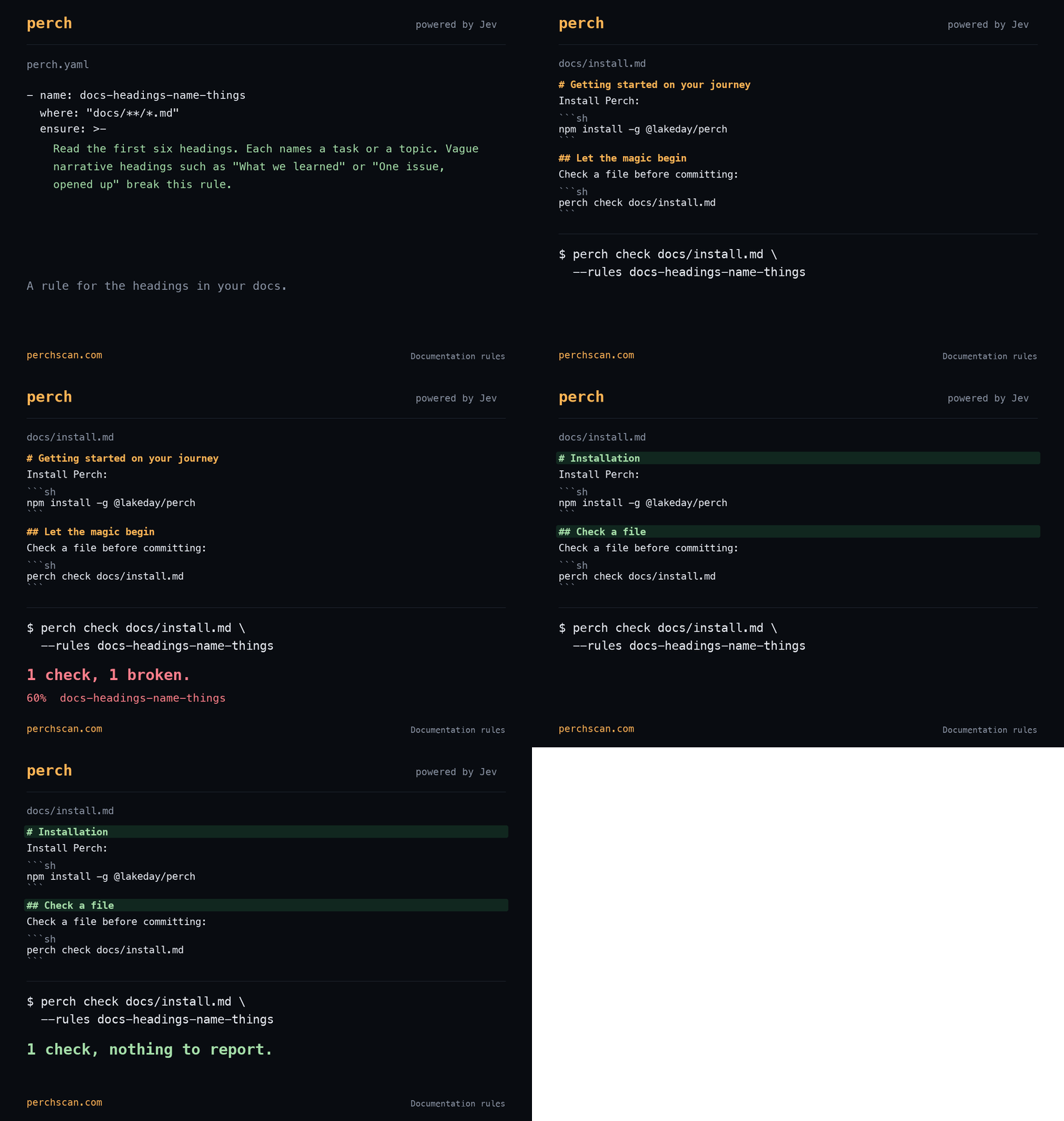
Write your heading and prose requirements in perch.yaml, then tell your agent to run perch check whenever it finishes editing a Markdown file. In the demo results, the vague headings fail and their replacements pass.
Heading rules
- name: docs-headings-name-things
  where: "docs/**/*.md"
  ensure: >-
    Read the first six headings. Each names a task or a topic.
    Vague narrative headings such as "What we learned" or
"One issue, opened up" break this rule.| Before | After |
|---|---|
| One issue, opened up | Finding details |
| What it costs to run | Model costs |
| Changing something and asking again | Check an edit |
Literal prose
- name: docs-no-anthropomorphism
  where: "docs/**/*.md"
  ensure: >-
    Read the first four prose paragraphs after front matter.
    Describe program behavior literally. A question having
    its own business, a result speaking for a method, or a
    rule deciding to stop hedging breaks this rule. Statements
    about a model generating text or returning a probability
    are literal behavior.
For example, “the first pass speaks for the method’s shape” fails; “the first pass checks method structure” says the same thing literally.
Command output
- name: docs-show-output
  where: "docs/**/*.md"
  ensure: >-
    Find the first fenced block that runs a real perch command.
    Its output appears in that block or the next one. Skip
    installation commands, environment setup, and command
    syntax with placeholders. A command without output breaks
    this rule. A page with no such command satisfies it.
Paste the output of the command you actually ran, including failures.
Check an edit
Once you have set up Perch, save the three rules and check the edited file:
perch check docs/install.md \
  --rules docs-headings-name-things,docs-no-anthropomorphism,docs-show-output
check reads the file as it is on disk, so the agent can run it straight after an edit. Add this step to the agent’s instructions for documentation changes. Exit 3 means there are findings to inspect; exit 1 or 2 means the check could not complete.
Compare controls
To see whether a rule works, give it a heading that should pass, such as “Installation”, and one that should fail, such as “A journey into getting started”, with the rest of the page unchanged. Do the same for a literal sentence and an anthropomorphic version of it.
If the rule gives both versions about the same score, reword the question before you rely on it.